
Switches
Explore WordPress Dark Mode Toggle Switches — 16 Live Demos
Darkify gives you full control over your dark mode experience — including 16 fully customizable, beautifully animated toggle switches. These WordPress dark mode toggle switches are designed to match any theme, brand, or style. Use the live demo below to try them out.
wp-admin — Darkify · Controls
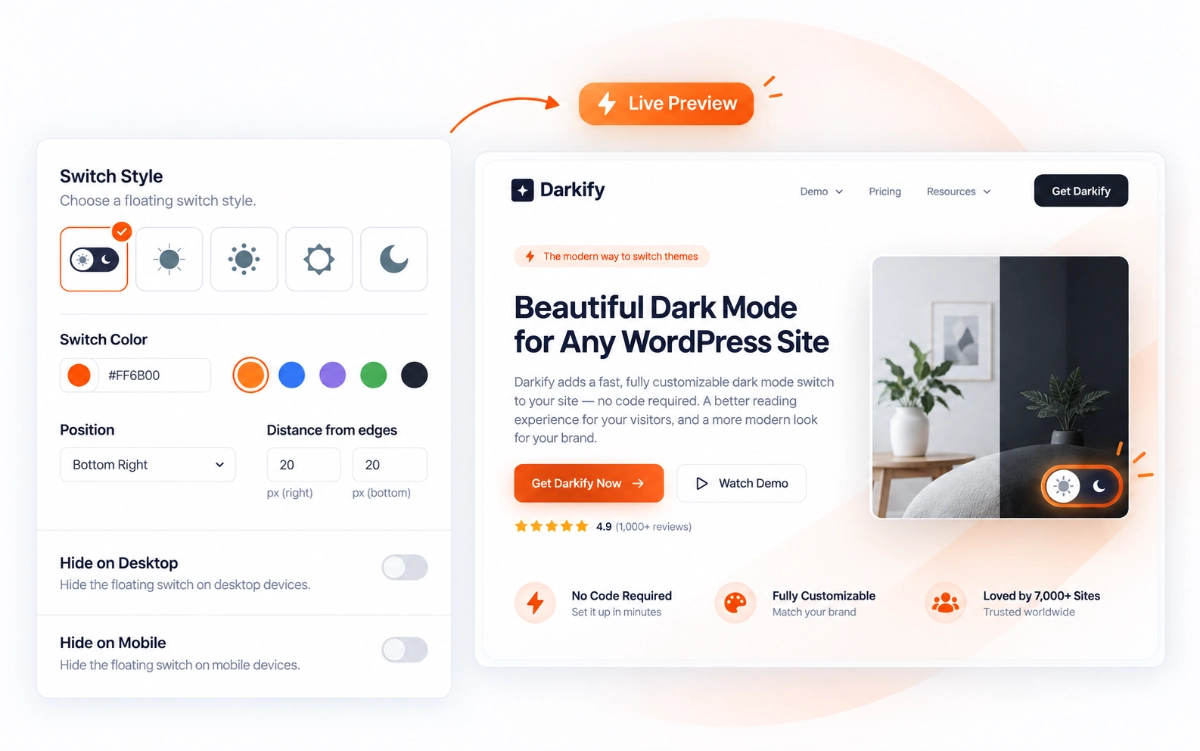
Try all 16 toggle switches in action
Every switch below is live — click each one to watch it animate.
Orbit
The moon circles the sun in a smooth, celestial loop.
Classic
The original smooth toggle — simple, clean, and iconic.
Expand
The sun expands outward, morphing seamlessly into a moon.
Inner Moon
Inspired by Google Fonts, the moon reveals itself from within.
Within
A collapsing sun gives way to a moon hidden inside.
Around
PRO
A rotating arc carries the switch from day to night.
Dark Side
PRO
Light and shadow split the toggle down the middle.
Horizon
PRO
The sun dips below the horizon as night falls.
Eclipse
PRO
One disc slides across another in a total eclipse.
Lightbulb
PRO
A bulb switches off, dimming the page with it.
Dark Inner
PRO
Darkness spreads outward from the centre of the icon.
Half Sun
PRO
A half sun rotates to reveal its darker half.
Simple
PRO
A minimal toggle that stays out of the way.
Duality
PRO
Two states, one fluid motion between them.
Dual
PRO
Side-by-side halves trade places on click.
Shift
PRO
The icon shifts across the track as the theme changes.
Fine-tune your dark mode switcher’s style
Size, colors, and borders — all previewed live as you change them.
Switch Toggler
Choose any of the 16 animated togglers as your site-wide switch.
Switch Background
Set separate background colors for light and dark mode.
Switch Size
Pick a preset size from XS to XXL, or enter a custom value.
Switch Border
Control border width and corner radius to match your design.
Switch Icon Color
Recolor the icon independently in light and dark mode.
Switch Icon Size
Scale the icon inside the switch.

Position your switch exactly where you want it
Pick a corner, set the margins, and override it all on mobile.
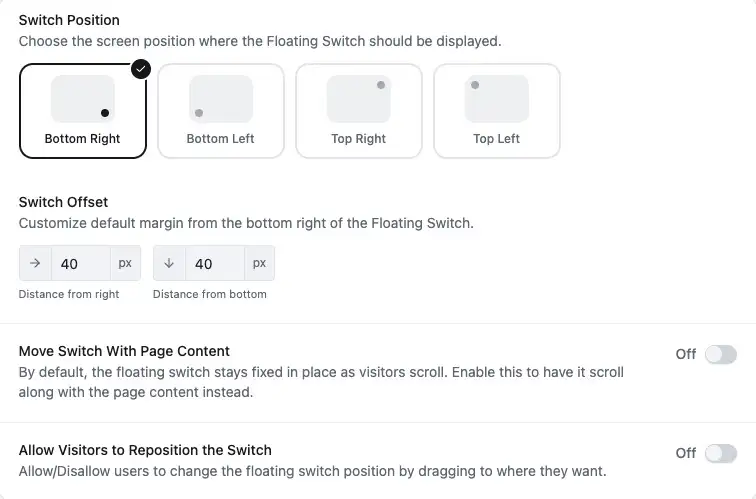
Switch Position
Place the floating switch in any of the four screen corners.
Margin Control
Set the exact distance from each edge of the screen in pixels.
Different Switch Position in Mobile
Override the corner and offsets just for mobile visitors.
Absolute Switch Position
Let the switch scroll with the page instead of staying fixed.
Switch Icon Color
Recolor the icon independently in light and dark mode.
Draggable Position Change
PRO
Allow visitors to drag the switch to a spot they prefer.
Shortcodes and custom switches made simple
Drop a switch anywhere, or turn any element on your page into one.
This heading is a real dark mode switch. Click to try it.
Switcher Shortcode
Drop darkify switch anywhere WordPress shortcodes are supported.
Alternative Dark Mode Switch
Turn any existing element into a switch with a CSS selector.
Floating Switch Tooltips
Show a short hint when visitors hover the floating switch.
Flexible Tooltip Positioning
Place the tooltip on whichever side suits your layout.
Custom Tooltip Text
Write your own wording, in any language.
Branded Tooltip Styling
Match the tooltip colors and shape to your brand.

Common Questions About Dark Mode Switches
Still unsure? Talk to us.